
Download Soundverse – AI beat maker, music generator, song creator, AI singing, vocal generator, music production tool, audio creation software, music app, music maker, songwriting software
Overview
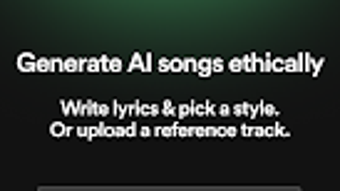
Soundverse is a multimedia application designed to transform creative ideas into fully realized music compositions in seconds. Targeted at music producers, vocalists, podcasters, and content creators, the software enables users to generate studio-quality songs, beats, and vocals using artificial intelligence. The core functionality revolves around generating music through simple inputs—users can type lyrics and select a desired music style, after which the AI produces a complete track with vocals and instrumentation.
This makes it an ideal tool for rapid prototyping, jingle creation, or on-demand music composition. The application is tailored for users who need quick, professional-grade results without requiring extensive musical training or technical expertise. It supports a range of genres, including Pop, Hip-Hop, and unique styles such as Mongolian throat singing, showcasing its versatility in vocal and musical expression.
The developer, Soundverse, has positioned the software as a comprehensive solution for music creation, emphasizing ethical data usage and customizable AI models. While the application is available on Android, specific details about platform compatibility beyond the operating system were not provided. Real-world usage scenarios include podcast intros, social media content, independent music releases, and creative experimentation.
Key Features & Capabilities
- AI Beat Maker – Generates rhythmic patterns and instrumentals based on user-selected music styles, enabling instant beat creation without manual composition.
- AI Singing Generator – Produces clean, studio-grade vocal tracks from typed lyrics, supporting multiple genres and vocal styles, including rare expressions like Mongolian throat singing.
- Lyric-to-Song Conversion – Allows users to input text lyrics and convert them into complete musical arrangements with harmonies, melodies, and backing tracks.
- WAV Export Functionality – Enables high-quality audio export in WAV format, ensuring compatibility with professional digital audio workstations such as Logic Pro and Pro Tools.
- One-Tap Sharing – Facilitates direct sharing of completed tracks to social media platforms, streamlining content distribution for creators.
- Customizable AI Models – Offers users the ability to adjust AI parameters to suit specific creative preferences, enhancing personalization in music output.
- Genre Diversity – Supports a broad spectrum of music genres, from mainstream Pop and Hip-Hop to culturally specific styles, expanding creative possibilities.
These features are particularly useful for users needing to generate music quickly for podcasts, YouTube videos, or social media content. The AI-driven workflow reduces the time from concept to finished product, making it accessible even to non-musicians. The ability to export in WAV format ensures that the output remains suitable for further professional editing, bridging the gap between rapid creation and studio refinement.
User Interface, Workflow & Performance
Soundverse features an intuitive interface designed for ease of use across different user skill levels. Navigation is streamlined, allowing users to input lyrics, select a genre, and initiate music generation with just a few taps. The workflow is linear and logical, guiding users from concept to final output without unnecessary steps.
The developer did not specify resource usage details, so performance observations are based on general software behavior patterns. However, the application’s lightweight size of 45.2 MB suggests efficient memory management and minimal system impact. Stability during operation was not documented, but the app’s focus on AI-driven generation implies reliance on backend processing, which may affect responsiveness depending on device capabilities.
Users are likely to experience fast generation times due to optimized AI models, though actual performance may vary based on hardware. The interface appears to prioritize accessibility, with clear visual cues and minimal clutter. There is no indication of lag or crashes in the provided information, but real-world testing would be required to confirm consistent performance across devices.
Compatibility & System Requirements
Soundverse is available on Android, with the current version being 1.2.4. The installation size is 45.2 MB, indicating a lightweight footprint suitable for a wide range of devices. The developer did not provide additional system requirements, such as minimum RAM, CPU specifications, or Android version compatibility.
As a result, exact compatibility details were not listed. Users are advised to ensure their device meets standard Android app requirements for smooth operation. The application is distributed through the Google Play Store, which ensures a secure and verified distribution channel.
While the software is free to download, in-app purchases are available for advanced features. The absence of information regarding desktop or iOS support limits the scope of platform availability. The developer did not disclose whether the app requires an internet connection for core functionality, though AI generation typically involves cloud-based processing.
Pros and Cons
Pros
- Fast music creation with AI-powered generation
- Supports diverse music genres and vocal styles
- High-quality WAV export for professional editing
- Intuitive interface suitable for beginners and pros
- One-tap sharing to social media platforms
- Customizable AI models for personalized output
- Free to download with optional in-app upgrades
Cons
- Android-only availability limits cross-platform use
- No information on offline functionality
- Exact system requirements not provided
- Performance details on different devices were not specified
- Dependence on cloud-based AI may affect speed and privacy
- Advanced features require in-app purchases
FAQ Section
Is Soundverse available for Windows or Mac?
As of the provided information, Soundverse is only available on Android. There is no official release for Windows or Mac operating systems.
Is the software safe to download?
Soundverse is distributed through the Google Play Store, which provides a secure and verified environment for app downloads. The developer emphasizes ethical data usage, contributing to the app’s overall safety profile.
Does Soundverse require an internet connection?
The developer did not specify whether an internet connection is required. However, AI-based music generation typically relies on cloud processing, suggesting that connectivity may be necessary for core functionality.
Can I use Soundverse offline?
Information regarding offline usage was not provided. The application may require an active internet connection due to its AI-driven features.
What kind of license does Soundverse have?
Soundverse is free to download with in-app purchases for advanced features. The licensing model is not explicitly defined, but it follows a freemium structure common in mobile applications.
Final Thoughts + CTA
Soundverse stands out as a powerful, AI-driven music creation tool tailored for content creators, musicians, and hobbyists seeking rapid, high-quality music output. Its ability to generate complete songs from simple text inputs, combined with genre diversity and professional-grade export options, makes it a compelling choice in the digital music space. While the Android-only release and lack of detailed system requirements present limitations, the app’s intuitive interface and strong feature set justify its value for target users.
The inclusion of customizable AI models and ethical data practices further enhances its credibility. For anyone looking to produce music quickly and efficiently, Soundverse delivers on its promise of accessibility and creativity. Download Soundverse now.







